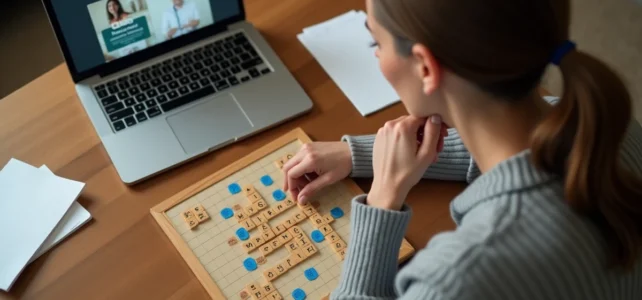
Clicmouse offers a browser version of Scrabble that relies on the ODS8 dictionary (L’Officiel du Scrabble) and the rules of the International Federation of Francophone Scrabble (FISF). The platform operates without installation, directly from a web browser, on both computer and mobile. Several integrated features set it apart from simple online grids, but their actual use deserves closer examination than the usual guides.
ODS8 Dictionary and FISF Compliance on Clicmouse
The choice of reference dictionary determines the entire game strategy. Clicmouse uses the ODS8, the same lexical base as the official Francophone competitions governed by the FISF. Specifically, the words accepted or rejected by the platform correspond to those that would be validated in a tournament.
This point has a direct consequence on training. Players preparing for competitions can verify the validity of rare combinations (words with Q without U, archaic conjugations, lesser-known two-letter words) in a reliable environment. Several competing platforms use proprietary dictionaries or uncertified lists, creating a gap between online practice and official play.
For those who wish to use Clicmouse for Scrabble with a view to progression, this compliance with the FISF reference represents a measurable advantage over other simulators.
Word Suggestions and Real-Time Statistics on Clicmouse Scrabble
Clicmouse natively integrates a system of word suggestions and real-time game statistics. These tools are accessible during the game, without resorting to an external anagrammer or a spreadsheet to track results.

The suggestions work by dragging and dropping letters on the board. The platform indicates valid placements and suggests possible combinations from the rack. This is not a cheating mode: it is an educational support that helps identify words one might not have thought of.
The statistics displayed during the game allow tracking of the cumulative score, the number of words played, and the average value per turn. Identifying weaknesses in real-time changes the way one progresses, as one adjusts their strategy during the game instead of doing a post-game assessment.
What Statistics Reveal About Your Game
A player who notices a low average value per turn despite having good letters likely has a placement issue rather than a vocabulary problem. The multiplier squares (double word score, triple word score, triple letter score) represent the decisive variable.
The statistics from Clicmouse make this diagnosis visible. However, they do not provide detailed history between sessions, at least not without a user account. Creating an account allows tracking of progress over multiple games.
Game Modes and Multi-Device Support: Play Solo or in Duo
The platform offers a solo mode against the computer and a duo mode between players. The solo mode allows adjusting the difficulty level of the opponent, making it an adaptable training tool. The duo mode opens the possibility of playing against a friend or a stranger.
Clicmouse is now accessible on mobile devices and computers, with the option to create an account via email or social networks. This multi-device compatibility means that a game started on a desktop computer can theoretically be continued from a phone, provided one is logged into the same account.
The Cookie Trap on Firefox
A recurring issue concerns cookie management, particularly on Firefox. The free full version of Clicmouse requires the acceptance of advertising cookies. On Firefox, enhanced protection settings may block these cookies by default, limiting access to advanced features.
To resolve this, one must add clicmouse.fr to the browser’s exceptions or temporarily disable enhanced protection on this site. This is not a bug of the platform, but an interaction between the browser’s privacy settings and the site’s business model, which is funded by advertising.
Scrabble Strategy on Clicmouse: Concrete Levers
Generic advice (playing high-value letters on bonus squares, maintaining a balance of vowels/consonants) circulates everywhere. Here are three specific levers within the Clicmouse environment that allow for more methodical point gains.
- Utilize suggestions to learn two-letter words: the ODS8 contains several dozen valid two-letter words. Clicmouse’s suggestions highlight them when they allow for parallel plays with an existing word, thus creating multiple words in a single turn.
- Use solo mode at maximum difficulty to spot moves the computer makes that you might not have seen. The AI in solo mode applies a score-maximizing logic that serves as a reference.
- Consult the statistics after each game to compare the average value of your moves to that of the computer. A consistent gap indicates a placement deficit, not necessarily a vocabulary issue.

High-Value Letters Are Not Always the Best Choice
Placing a Z or an X on a triple letter score yields points, but holding these letters for the perfect square can cost more in missed opportunities. An average move played at the right time is often better than a brilliant move played too late.
Clicmouse’s real-time statistics help quantify this phenomenon. If your score stagnates for three consecutive turns because you are waiting for the ideal placement for a rare letter, the opportunity cost generally outweighs the expected gain.
Limitations of Clicmouse as a Scrabble Training Tool
The Clicmouse AI plays according to a maximization algorithm, not a human strategy. It does not bluff, does not intentionally block a triple square, and does not manage time pressure. Training solely against the computer can create bad reflexes in competition.
The duo mode partially compensates for this limitation, but the base of active players on Clicmouse remains difficult to assess. The available data does not allow conclusions about the actual number of duo games played daily.
The free ad-supported model also involves interruptions that can disrupt the flow of the game. The full version simply requires the acceptance of cookies, but the user experience suffers on browsers configured to block them.
Clicmouse remains a solid training ground thanks to its ODS8 compliance and integrated tools. Complementing it with games against human players, in clubs or on other platforms, provides a more comprehensive training than solo mode alone.